
For iPhone, iPad, Mac and Apple Vision Pro

Turn your photos and videos into 3D

Add real depth to the pictures and videos you already have. Watch them in 3D on Apple Vision Pro, Meta Quest and other headsets.

Download on the App StoreRuns on your device · No account needed
App StoreFeaturedThe Best of Spatial Computing
Rated4.6 out of 5159 ratings
One app4 devicesiPhone · iPad · Mac · Vision Pro
Illustration

Flat videos, now with depth.

The app estimates depth in every frame and builds a separate view for each eye, so an ordinary clip plays in real 3D in a headset.

One app, every Apple device

Where do you want to see it in 3D?

A 2D photo with depth from the app's AI model
iPhone & iPad

2D to 3D photos and videos, right on your phone

Pick photos or videos from your library. The app estimates depth on your device, then builds a left-eye and a right-eye view.

  • Spatial photos and videos for Apple Vision Pro, saved straight to Photos
  • Depth slider and previews (cross-eye, wiggle, depth map) before you save
  • Wiggle videos: a looping 3D animation from one photo, like the dog at the top of this page
  • Trim videos before converting, and convert a whole queue at once
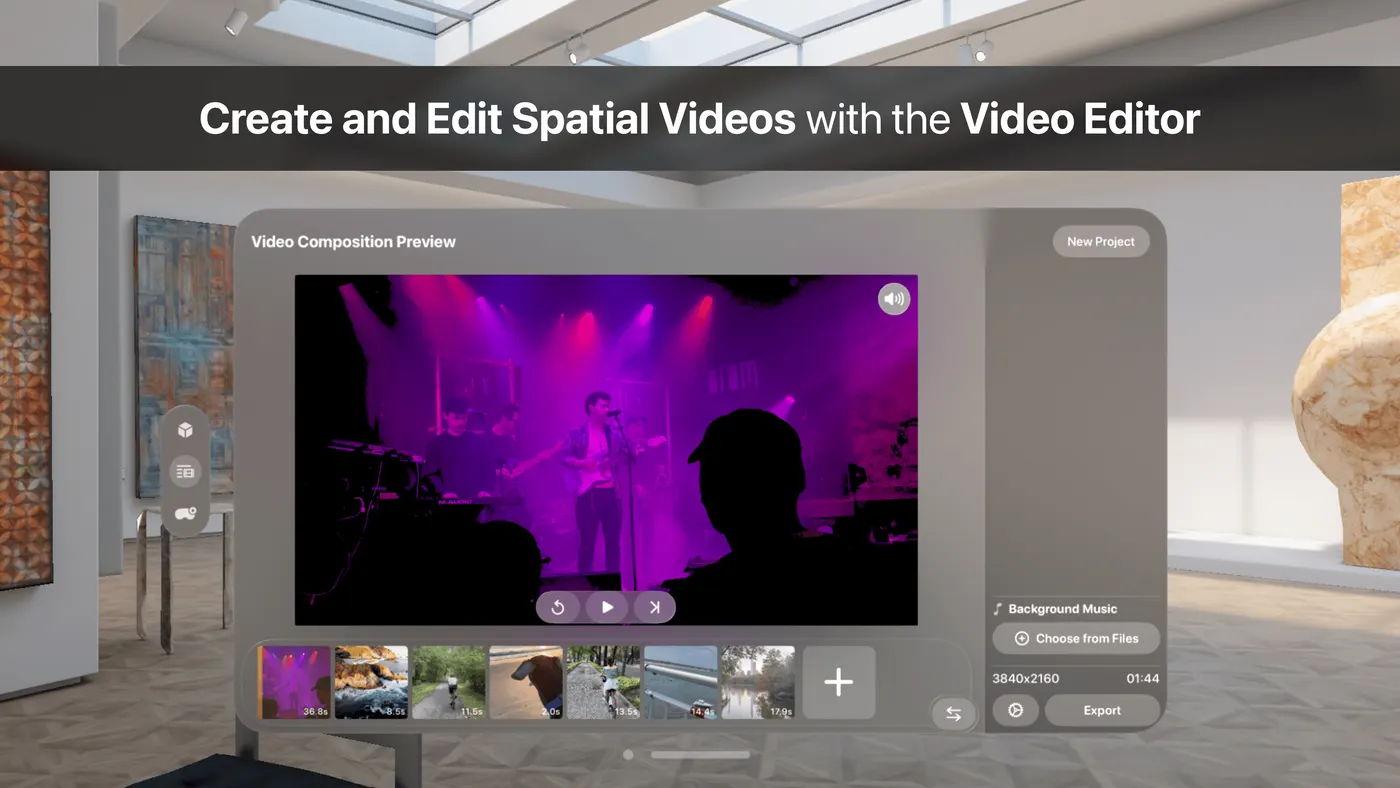
The Spatial Video Editor in Spatial Media Toolkit on Apple Vision Pro
The Spatial Video Editor on Vision Pro
Apple Vision Pro

Your whole library, in 3D

On Vision Pro the app goes beyond converting, with a Gallery and tools for watching and editing spatial media.

  • Gallery: browse your Photos albums and Files in 3D; 2D photos turn spatial as you open them
  • Spatial Scenes: view any photo as an immersive spatial scene (visionOS 26)
  • Real-time 3D playback of ordinary 2D videos, with no conversion step
  • Spatial Video Editor: join, trim and reorder spatial clips and photos, and add music
A side-by-side 3D photo of an axolotl, one view for each eye
Side-by-side 3D: one view per eye
Meta Quest & other headsets

3D videos for your Quest, made on iPhone or Mac

There's no Quest app to install. Spatial Media Toolkit exports a standard side-by-side (SBS) 3D file that you copy to your headset and play with your player's side-by-side mode.

  • Side-by-side 3D from any 2D photo or video
  • iPhone spatial videos to SBS: the app spots Apple spatial files and suggests side-by-side output
  • Red-cyan anaglyph output too, for paper 3D glasses
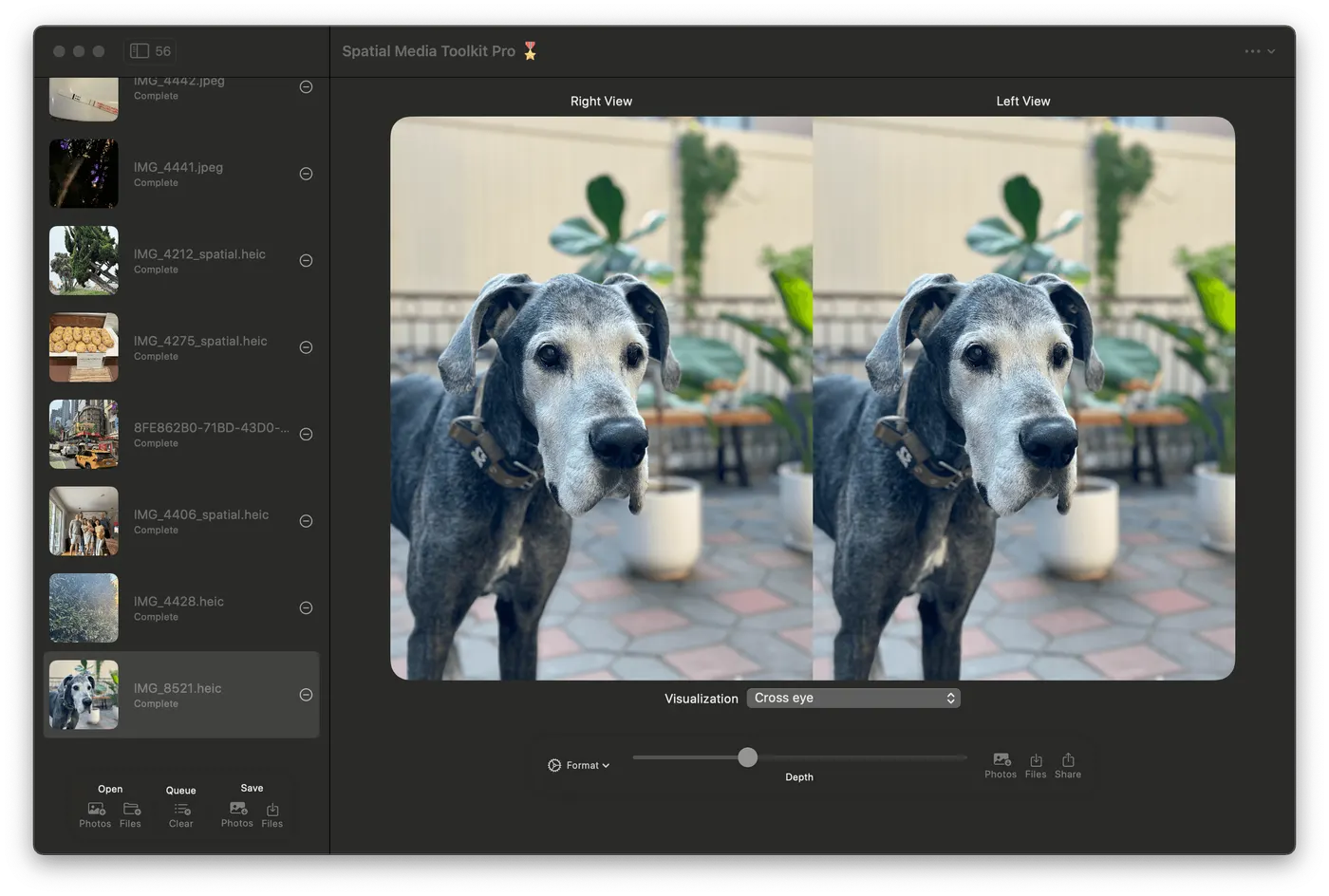
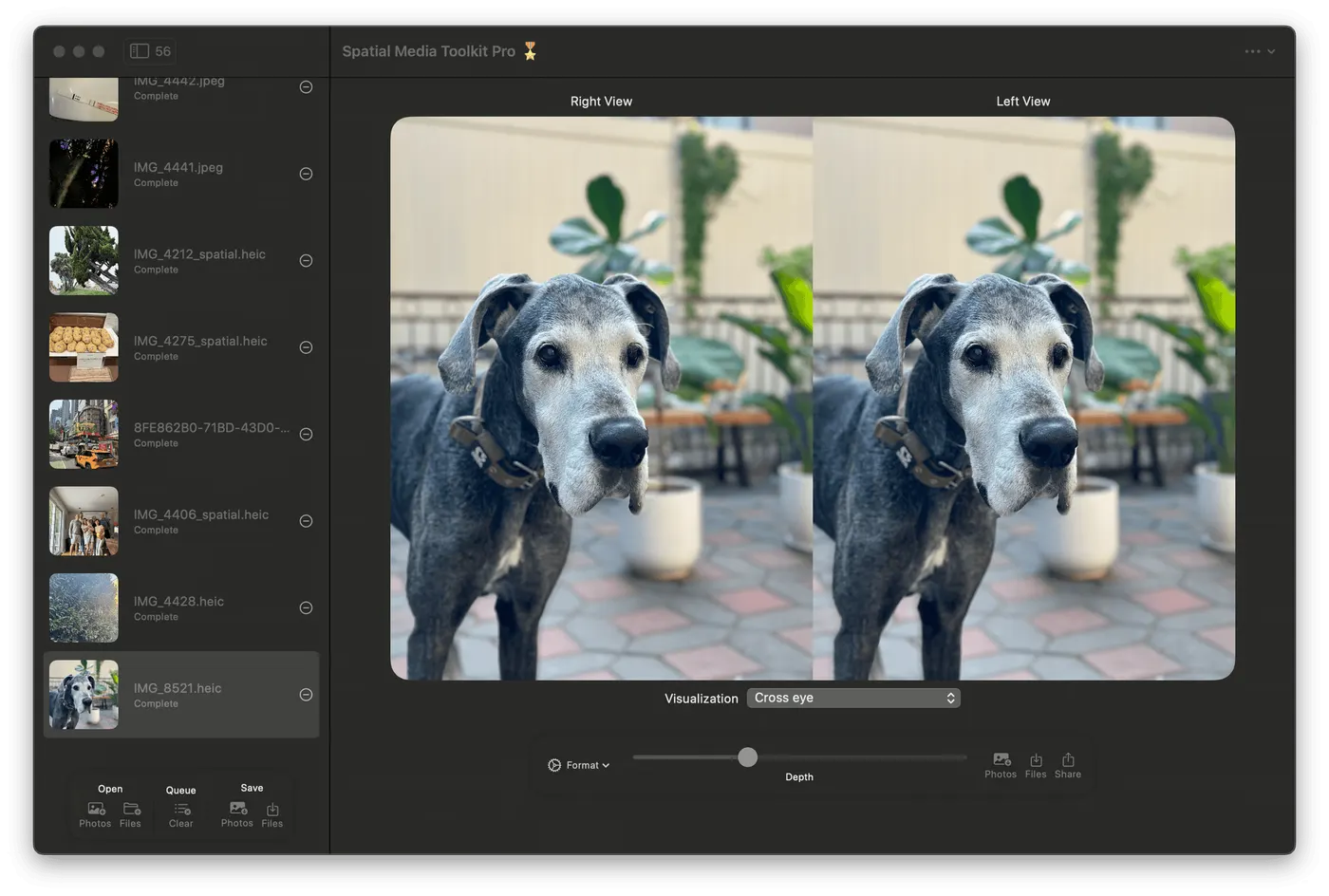
Spatial Media Toolkit on Mac with a queue of photos and a side-by-side preview of a Great Dane
Spatial Media Toolkit on Mac
Mac

Long videos and whole albums

The native Mac app is the place for big jobs: add everything, set it once, and let it work.

  • Batch queue: import a whole album, "Copy settings to all", then save everything at once
  • Drag and drop photos and videos straight from Finder
  • Made for long videos: on iPhone a conversion pauses when you switch apps, so long ones are easiest on a Mac
  • Apple silicon for AI 2D-to-3D; 3D format conversions also run on Intel Macs

How it works

Three steps, all on your device

Pick photos or videos

From Photos, from Files, or by drag and drop. Add as many as you like.

Set the depth and preview

Choose spatial, side-by-side, anaglyph or wiggle, adjust the depth slider and check the preview.

Save and watch in 3D

Save to Photos or Files, or share. Open it on Vision Pro, or copy it to your Quest.

Converts from

2D photos2D videosApple spatialSide-by-sideHalf side-by-sideTop-and-bottom

Converts to

Spatial photo (HEIC)Spatial video (MV-HEVC)Side-by-side 3DRed-cyan anaglyphWiggle video

Reviews

What people say on the App Store

★★★★★

It works like magic!

Spatial Media Toolkit gives that to you! You can go through your entire Photos library of photos and videos and convert them. It’s fun and addictive…

EdMartin123, App Store review
★★★★★

Amazing!

I never imagined this could be possible! I’m turning some of my oldest, dearest photos and videos, into spatial versions. …

DonBoston, App Store review
★★★★★

Great app, great developer

Being able to go back through decades of old photos and convert them into the spatial format is such a great feature to have. …

Troyverson, App Store review
★★★★★

Excellent feature

… Now you can actually take advantage of it to create 3-D media or my favorite, “wigglegrams” effortlessly.

mobjois, App Store review
★★★★★

Like Magic

As a 3D movie fan for almost 50 years it's a dream come true to see just about anything in 3D. …

BigCatRik, App Store review
★★★★★

Batch conversion is here!

… Now can convert all my stereo images to Spatial at once, saves so much time!

Jmordu, App Store review

FAQ

Questions, answered

What does Spatial Media Toolkit do?

It turns ordinary 2D photos and videos into 3D. It estimates depth on your device and builds a separate view for each eye, then saves the result as an Apple spatial photo or video, a side-by-side 3D file, a red-cyan anaglyph, or (for photos) a looping wiggle video.

Which devices does it run on?

iPhone and iPad with iOS 18 or later, Macs with macOS 15 or later, and Apple Vision Pro with visionOS 26 or later. AI 2D-to-3D conversion on a Mac needs Apple silicon.

Is there a Meta Quest or Android app?

No. The app runs on Apple devices only. It makes side-by-side 3D files that you copy to a Quest or another headset and play with the player's side-by-side 3D mode.

Are my photos uploaded anywhere?

No. Depth estimation and conversion run on your device. There's no cloud processing and no account to create.

Can it convert 3D files I already have?

Yes. It reads Apple spatial, side-by-side, half side-by-side and top-and-bottom photos and videos, and converts them to Apple spatial, side-by-side or anaglyph without the AI step.

What's the best way to convert long videos?

Use the Mac app. On iPhone, a conversion pauses when you switch to another app and picks up when you come back, so long videos and big batches are easiest on a Mac.

What are Spatial Scenes?

A Vision Pro viewing mode (visionOS 26) that turns a photo into an immersive 3D scene you can lean into. In the app's Gallery you can view any photo as a spatial scene. Spatial scenes are for viewing only and can't be exported.

Spatial Media Toolkit app icon

Relive your memories in 3D

One app for iPhone, iPad, Mac and Apple Vision Pro.

Download on the App Store
App StoreFeaturedThe Best of Spatial Computing
Rated4.6 out of 5159 ratings
One app4 devicesiPhone · iPad · Mac · Vision Pro
Spatial Media ToolkitTurn photos & videos into 3D
Get